Templates let you define reusable markdown for the cards in a deck. Instead of writing the same formatting over and over again, you can extract it into a template and Mochi will use it to generate card content automatically.
Templates are built around fields, placeholders, and template markdown. This page will walk you through each of these concepts and show you how to create your first template.
What is a template?
A template is composed of three parts:
Fields / Properties — Unique data or content associated with each card.
Markdown — A chunk of markdown that will be rendered for every card.
Placeholders — Sections of the markdown that will be replaced with field values.
Templates allow you to separate content (the data you enter for the card) from presentation (how the card is displayed).
Fields / Properties
A field is a named piece of information stored on a card. Examples:
word
meaning
example_sentence
reading
image
Each card should have its own unique value for each field. There are three basic field types and several dynamic field types. Basic field types consist of:
Text
Checkbox
Number
When you use a template, basic fields appear as form inputs in the card editor.
Every card built from this template will have the same set of fields.
Primary field
Every template has a primary field. This field determines the card’s name, which appears throughout the Mochi interface and is also used when the card is referenced from other cards.
Placeholders
A placeholder is a marker in the template's markdown where a field value should be inserted.
Placeholders always use double angle brackets:
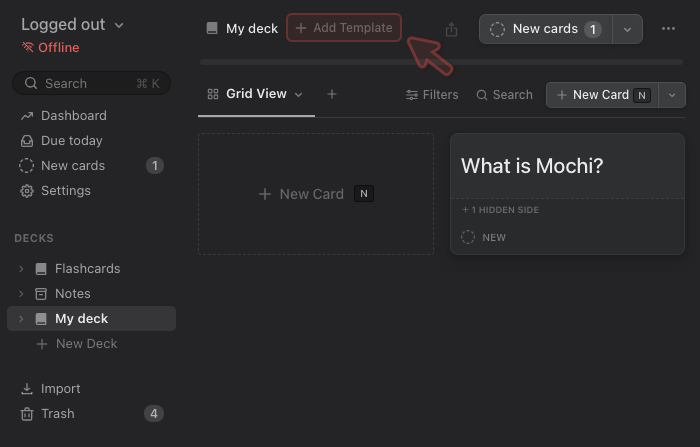
From now on any card created in this deck will, by default, use the newly created template. Try adding a new card and filling in the fields to see how the end result is rendered.
Applying a template to existing cards
Generally speaking you should avoid applying a template to existing cards unless those cards already contain the field / property data required by that template.
If a template is a applied to a card without the required field data, the card will probably render blank. If the card already has its own markdown, that markdown will be ignored and the template's markdown will be rendered instead. Note that the existing markdown is not lost or destroyed, it is simply ignored until the template is removed.




 Mochi
Mochi